
ArcanaThe realm speaks plain text. Arcana was made to listen closely.
Arcana is the realm's own client, made for Arcane Ages and for nothing else. It runs in your browser: there is nothing to install, and like the realm itself it is free, in full. (Native clients are also available for Windows, Mac OS X, and Linux should you prefer.)
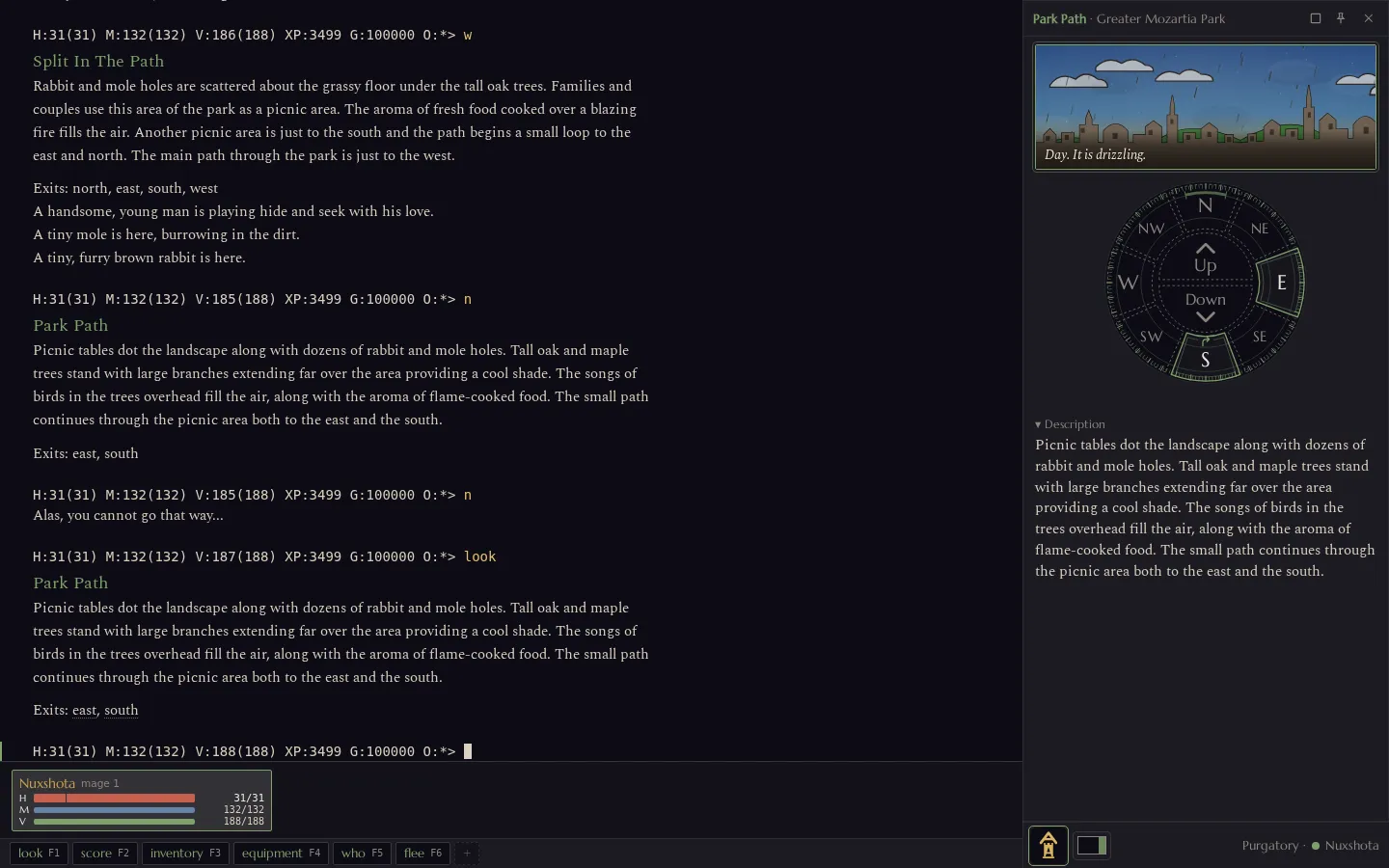
The game tells Arcana more than it can print on a line: where you are standing, which ways lead out, who is in the fight and how hurt they are, which channel a message came from. Arcana turns that into windows beside the story, while the story itself stays exactly as the builders wrote it.
Enter the Realm free · in your browser · with Arcana
Already have a client?
Then keep it, if you love it. Mudlet, zMUD and CMUD, MUSHclient,
TinTin++ and a bare telnet arcaneages.com 4000 all still work,
and they get the whole game: every zone, quest, rune and channel. Nothing
in the realm is held back for Arcana, and nothing ever will be. You can
switch between clients whenever you like; your character doesn't care how
you arrive.
What Arcana adds is that it understands Arcane Ages in particular. It has aliases, triggers, hotkeys and buttons, and scripting in DeadScript, the realm's own scripting language. Whatever you set up elsewhere, you can bring with you (see below).
It knows where you are
The room window shows the room you are in: its name and area, the sky and the weather (or that you are indoors), a compass rose of the ways out, the description, and who and what is there. Click an exit to walk that way, or a person or thing to look at it. When a room is dangerous, freezing cold, a duelling ground or an arena, the window says so in words.
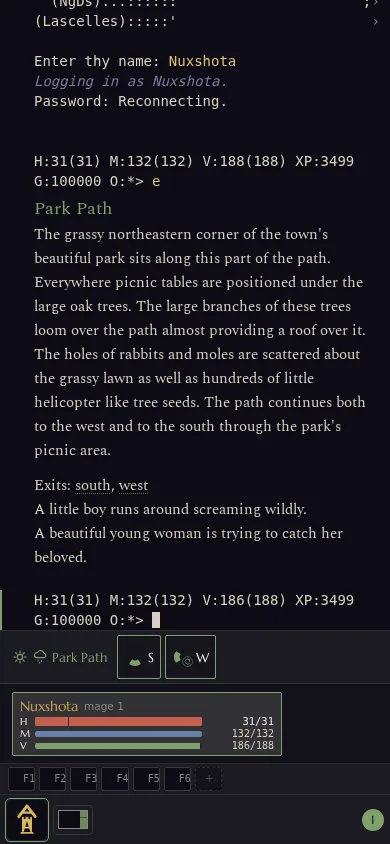
On a phone the room shrinks to a strip above the command line, with a button for each way out.
A map you draw by walking
The Map window draws the rooms you have stood in, in three dimensions, level above level, with the ways on that you have seen from them. It never shows a room you haven't been to, so the world keeps its mystery. Look at the whole world, one zone, the few steps around you, or the trail you just walked. Pick a room and Arcana walks you there, over ground you already know.
The game itself keeps your map, so every room counts, whichever client
you walked in with. Nobody else can see it, and
map forget wipes it if you want to
explore again.
Fights you can follow
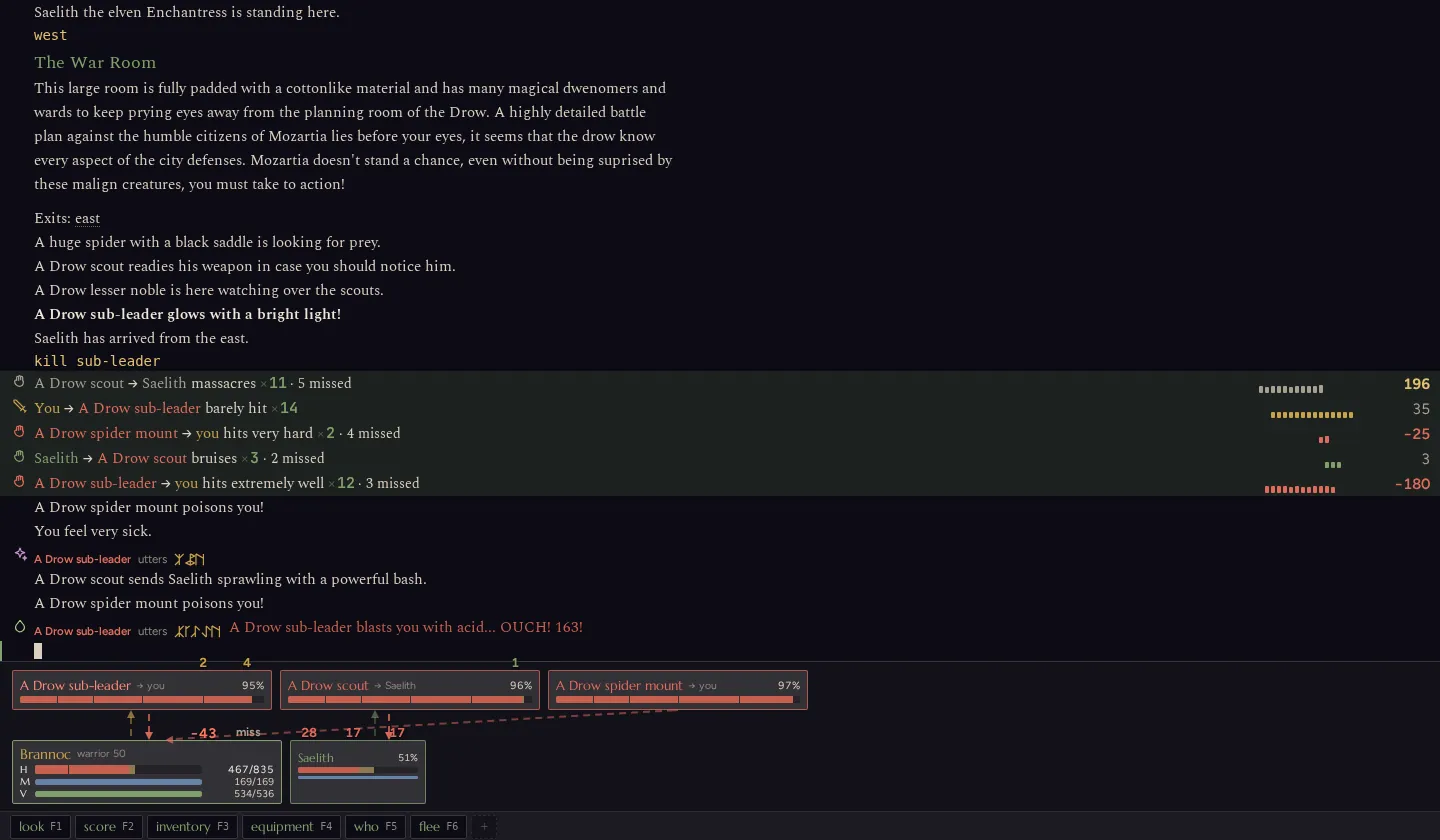
A busy fight can scroll a page a second. Arcana's combat view folds each attacker's blows into a single line that counts up as they land, with the damage at the end. Above your own health, a card for each foe shows how hurt they are and whom they are fighting. Spells, deaths, tells and experience still arrive as their own lines. If you prefer every line exactly as the game sends it, one setting brings them back.
Watch one fight two ways: the same fight played side by side in Arcana and as telnet shows it.
Chat beside the adventure
Tells, gossip, clan talk and the other channels can move to a chat window, out of the way of the fight, while say and shout stay in the game text where they happen.
The chat window is also where conversations last. The public channels and your clan's are kept with no end date, so a conversation can run for days or weeks: you log in to everything said while you were away, answer it, and the thread carries on. A plan made on clan talk on Monday is still there on Friday, and a new member can scroll back through the clan's earlier talk (what is kept).
You can share pictures in any channel. Telnet players aren't left out: they see your description of the picture and a link to it (pictures and their rules).
Bring your settings with you
Paste your aliases, triggers and hotkeys from zMUD or CMUD, Mudlet, TinTin++ or MUSHclient, or open their files. You don't need to change anything first. Arcana shows each one as it came and as it will run, and says plainly what it can't translate; nothing changes until you press Import.
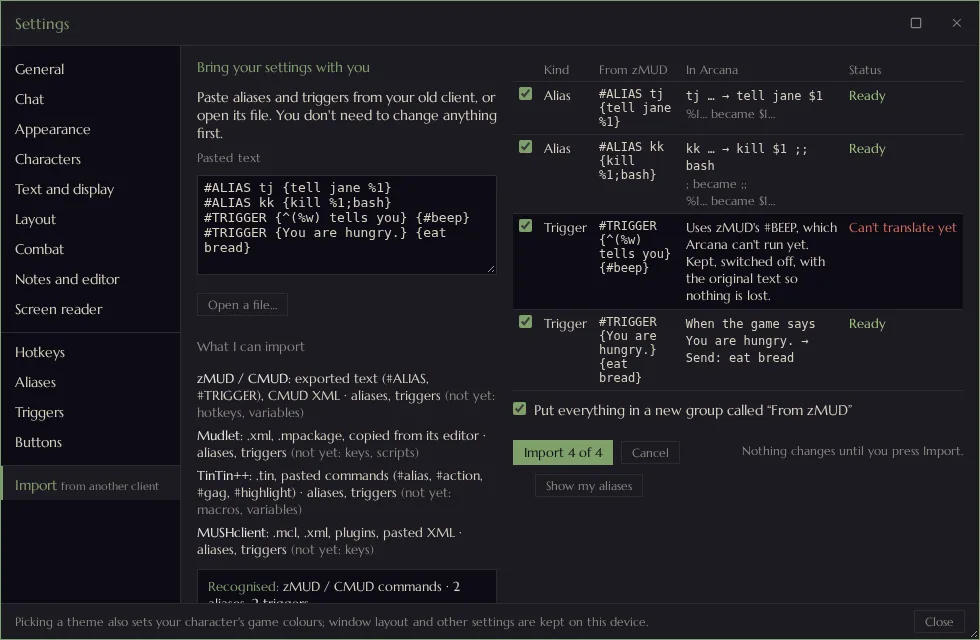
- Aliases:
tjsendstell jane, andtj hisendstell jane hi. Simple words for simple aliases, regular expressions when you want them. - Triggers: make one from any line of the game, and try it on the lines you have just seen before you save it. A trigger can send commands, highlight or hide a line, copy it to the chat window, play a sound, or notify you.
- Hotkeys: the number pad walks from the start (8 north, 2 south, 5 looks), and the F-keys and Ctrl or Alt with a letter run whatever you give them.
- Buttons: a bar under your health, starting with look, score, inventory, equipment, who and flee on F1 to F6, each with an icon and a second action under Alt.
Each of them exports to a file, so your setup is never trapped in one browser.
The words come first
Arcana reads the game's text the way it was written to be read. Prose comes in a book face, at the size and spacing you choose, while maps, tables and ASCII art keep a fixed-width font so every column lines up. Runes are drawn as runes. The game's help opens in a window of its own, with its headings, tables and links. Notes, letters and descriptions open in a proper editor with find and replace (and vi keys, if your fingers insist).
Four themes come with it: Arcane, Black, Daylight for a bright room, and Clear sight, whose colours stay distinct for colour-blind players. Picking a theme sets your character's game colours to match.
For every reader
Arcana works with your own screen reader: NVDA, JAWS, VoiceOver or Narrator. In screen reader mode new game text is read as it arrives, ASCII pictures are skipped instead of spelled out, and a flood is cut to its last lines. Alt+1 to Alt+9 read recent lines again; Alt+0 reads your health and everyone in the fight. Everything works from the keyboard. The whole story, and what is still being built, is on Speech and Screen Readers.
Your password stays yours
To keep you signed in, Arcana holds a sign-in key from the game, never your password. The game keeps the list of your devices, so you can sign out one you no longer have. Several characters live side by side on the start screen, a click apart.
Enter the Realm free · in your browser · with Arcana
Prefer your own client? Connect has the address and port.